Square Frame
No-crop white borders for your photos. Pad each shot onto a clean white square, then save or share square JPEGs — batch a whole shoot, or frame your latest shots in one tap from the home-screen widget. All on-device, no account, no cloud.
What it does
No crop — your whole photo
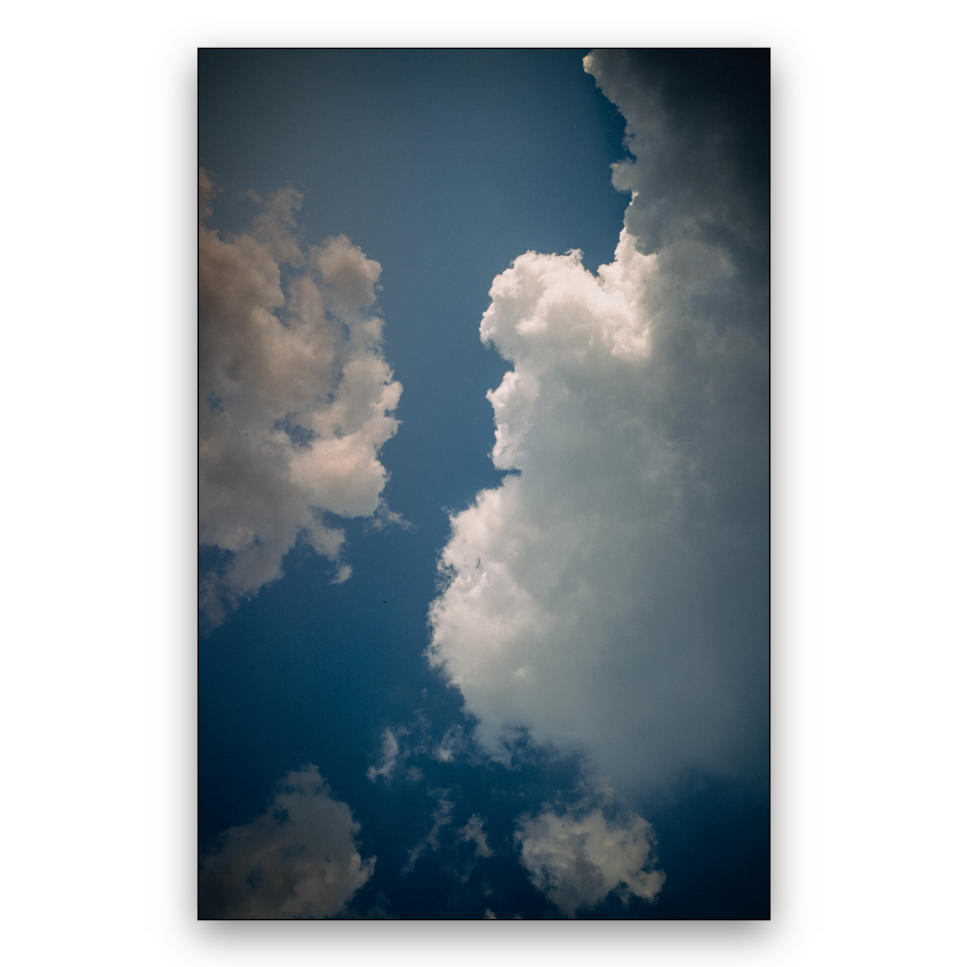
Every shot is scaled to fit, never cropped, and sits on a clean white square with a thin black hairline frame and a soft drop shadow. Portrait or landscape, the whole frame stays.
Quick Frame widget
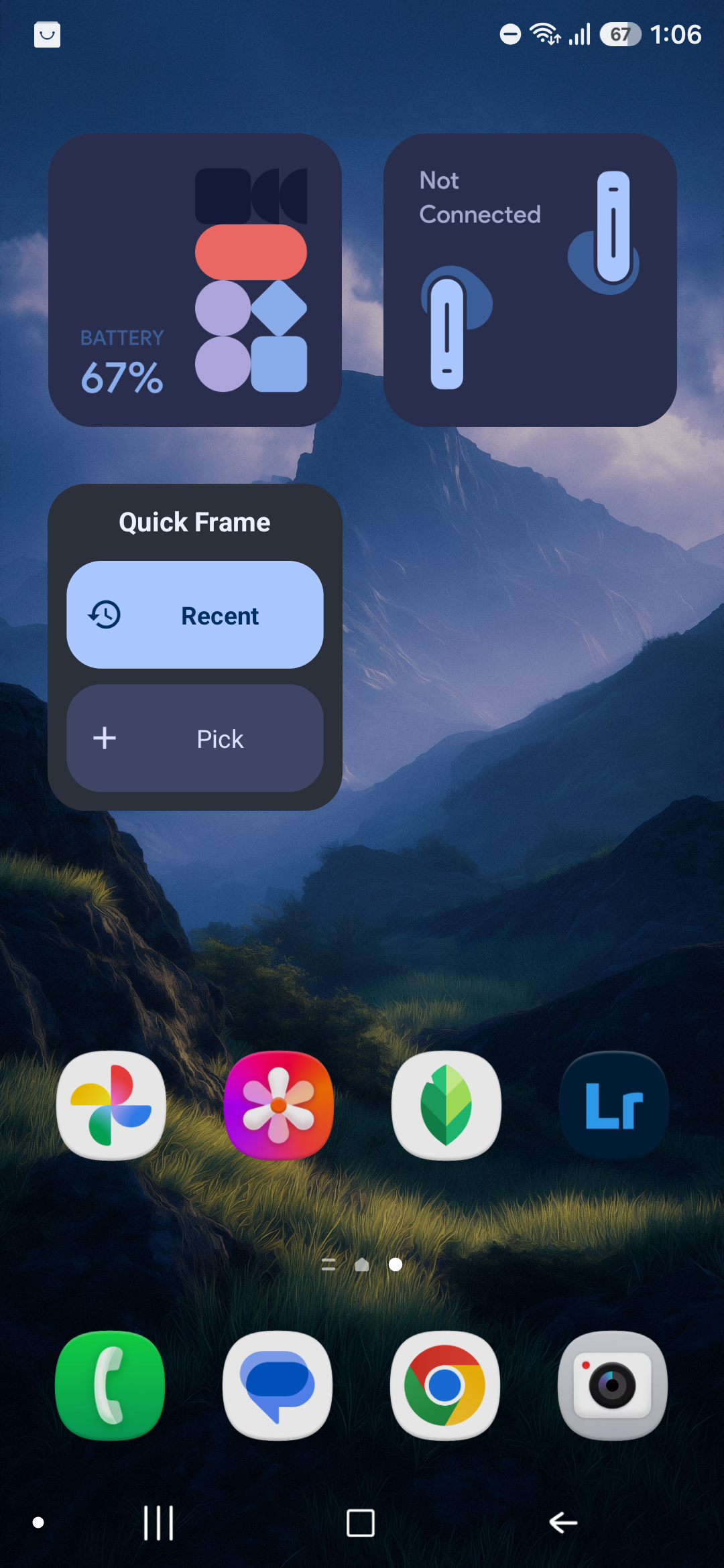
A home-screen widget frames a whole shoot in one tap. “Recent” squares your latest photos automatically; “Pick” opens the photo picker — no need to open the app first.
Save or share
Frame a batch and save full-resolution square JPEGs to your gallery, or send the framed copies straight to a share sheet — sharing frames without saving anything to your gallery.
On-device & private
No account, no network, nothing uploaded. Picking photos uses the Android Photo Picker (no permission); the widget’s “Recent” reads only your most recent photos to frame them.
A clean square frame
The output is a 2160×2160 white square. Your photo is scaled to fit — never cropped — centered with even white margins, and wrapped in a thin black hairline frame with a soft drop shadow. Exported as a full-resolution JPEG, ready for a feed.
Real export from the app — a portrait shot squared with no crop.
Get Square Frame
Now in open testing on Google Play, or sideload the APK on an Android 10+ phone.
Join the test
Square Frame is in open testing on Google Play. Join from your Android device, or opt in on the web first — auto-updates, no sideloading.
How to use it
From install to a saved batch in four steps. Screenshots from the real app.
- 1
Install the app
Download the APK on an Android 10+ (API 29) phone and open it to sideload. You may need to allow installs from your browser or file manager the first time. On first launch you land on the Editor tab.
Jump to download - 2
Pick photos or grab your recent shots
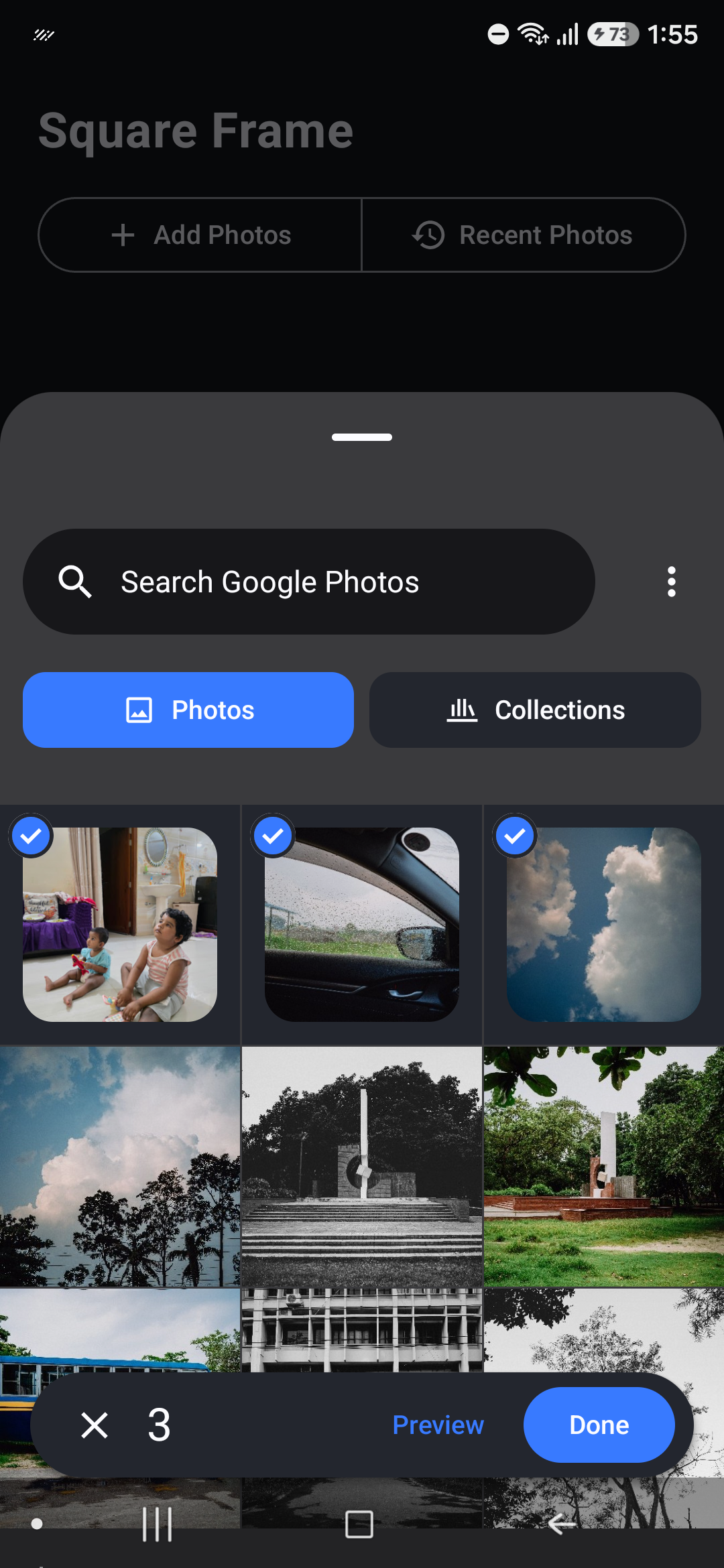
Tap Add Photos to multi-select with the Android Photo Picker — no storage permission needed — or tap Recent Photos to pull in your latest shots automatically. Either way the whole batch loads into the editor.
- 3
Preview, then Save or Share
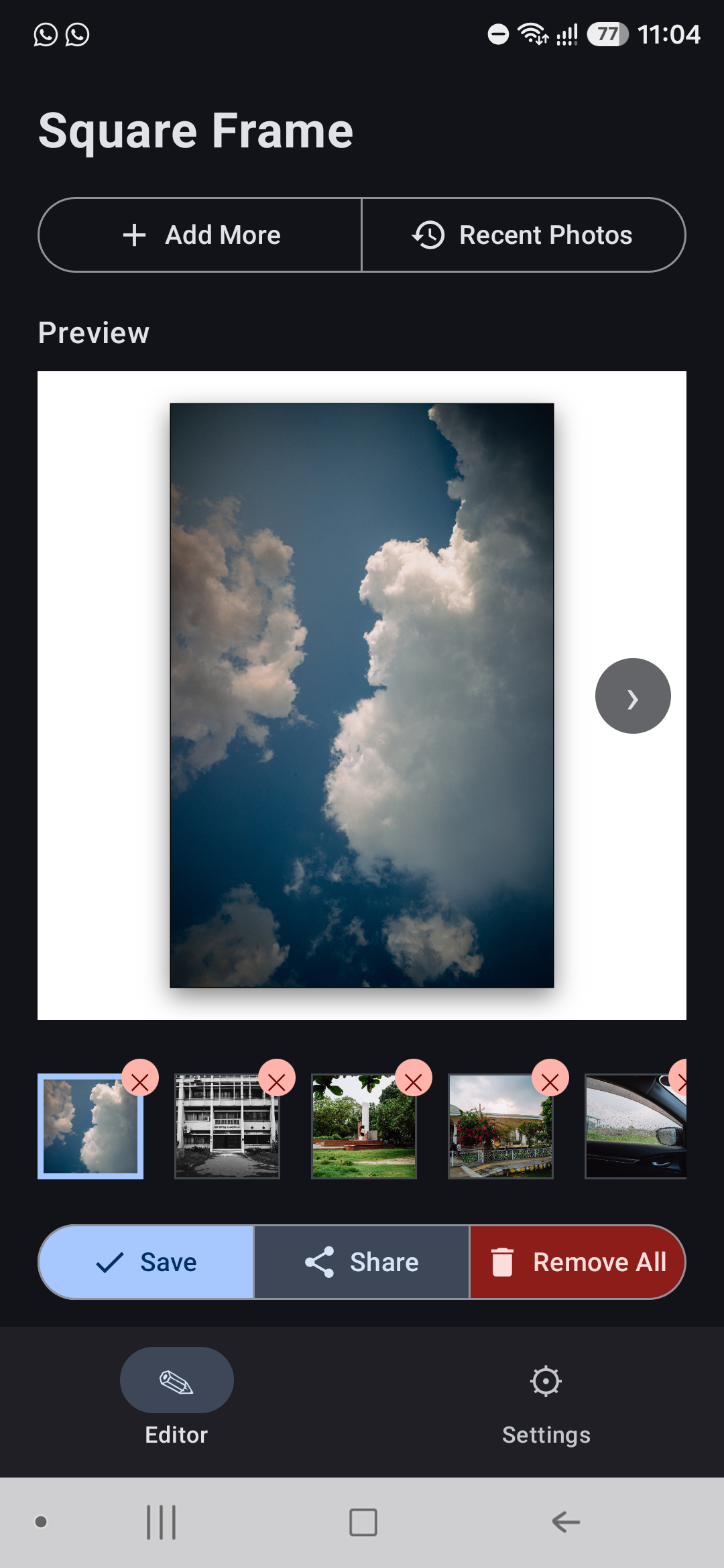
The live Preview shows the squared white-frame result, and a thumbnail strip lets you swap between photos in the batch. Tap Save to write full-resolution squares to Pictures/SquareFrame, or Share to send the framed copies straight to a share sheet — Share frames without saving to your gallery.
- 4
One tap from your home screen
Add the Quick Frame widget to your home screen. “Recent” frames your latest shots in a single tap and saves the squares to your gallery; “Pick” jumps straight to the photo picker. No need to open the app.